
Training log · Nutrition · Body composition
A training log your AI can actually read.
Log meals, runs, lifts, and weight from your phone between sets. Then ask ChatGPT, Claude, or whatever you already use how the block is going, and it reads the same numbers you just typed in. No exporting, no screenshots, no pasting a spreadsheet into a chat window.
Free, no card. Your log is private to your account.
How you use it
Three things, in this order.
Step 1
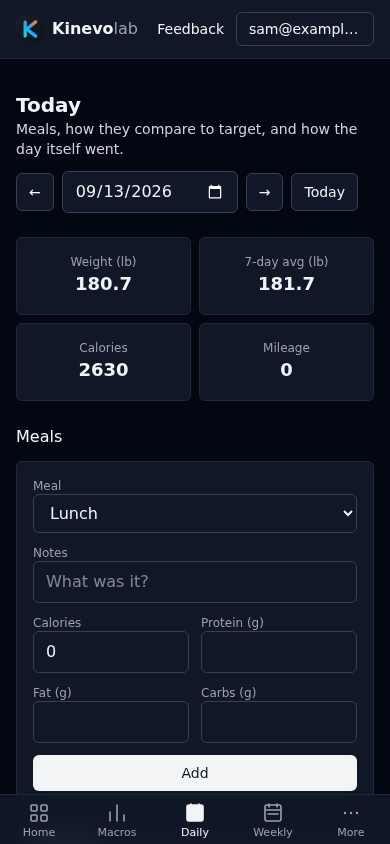
Log it on your phone, at the gym
Meals, weight, resting heart rate, sleep, every run, and every set you lifted. One page per day, and it opens on today.
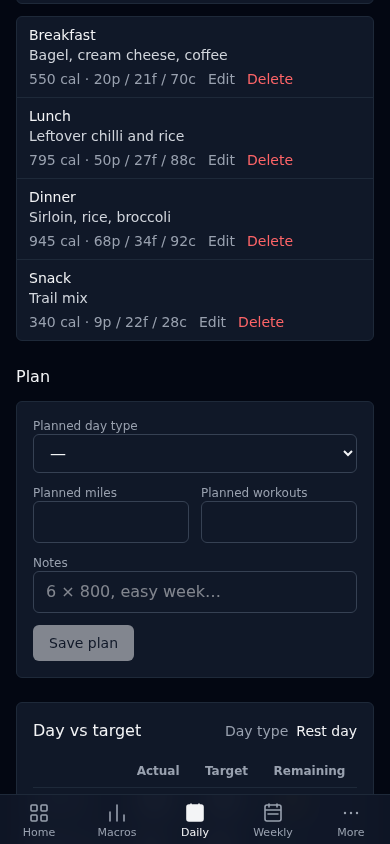
The same page shows what you have eaten against the target for that kind of day, so you know at lunchtime what is left.
Step 2
See whether it is working
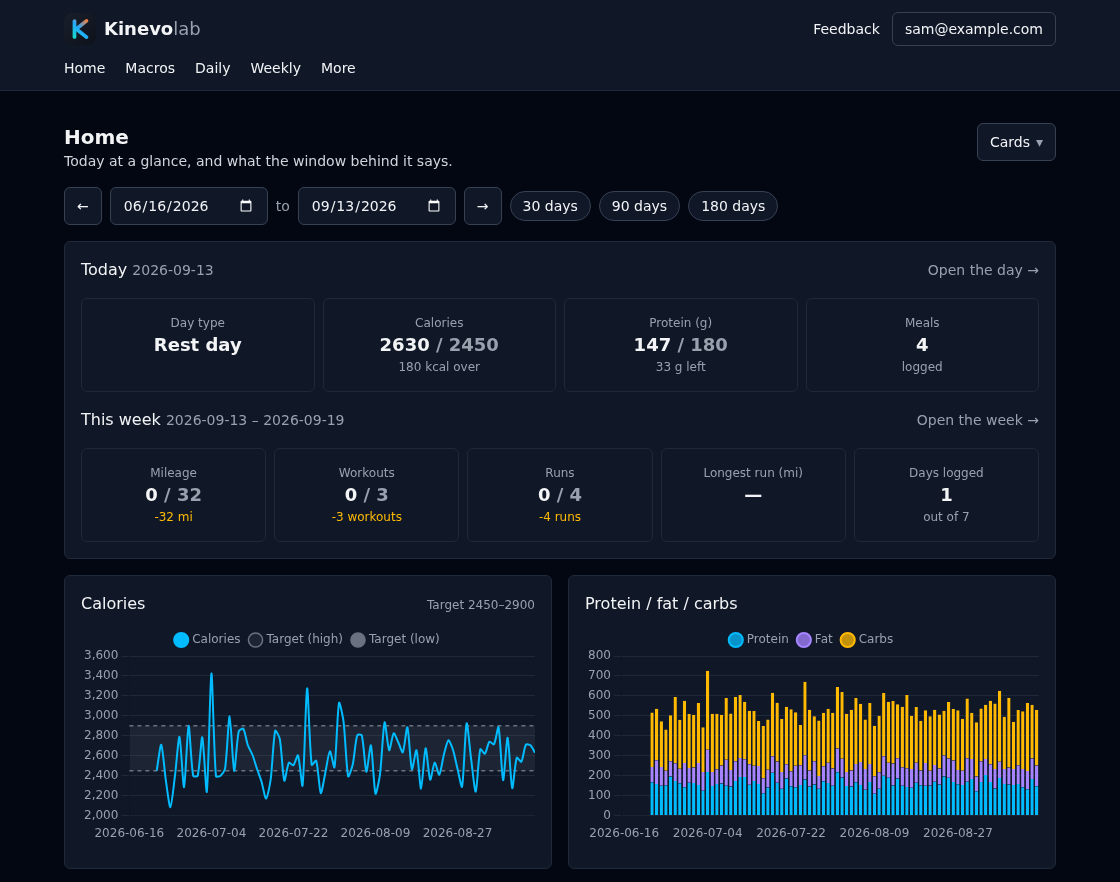
The app opens on today: what is left to eat, and where the week stands against the block. Underneath it, calories against the band your targets set, weight against its seven day average, weekly mileage against what the block called for, and each lift on its own chart.
Choose which cards you want and what order they come in. Pick a window, step it backwards, and every one of them follows. None of these numbers are stored, so none of them can go stale.
Step 3
Ask your assistant
Point it at the MCP server once. After that, "log my lunch" and "how did last week go" both work, and it is reading your real history rather than whatever you remembered to paste. Any client that speaks MCP will do.
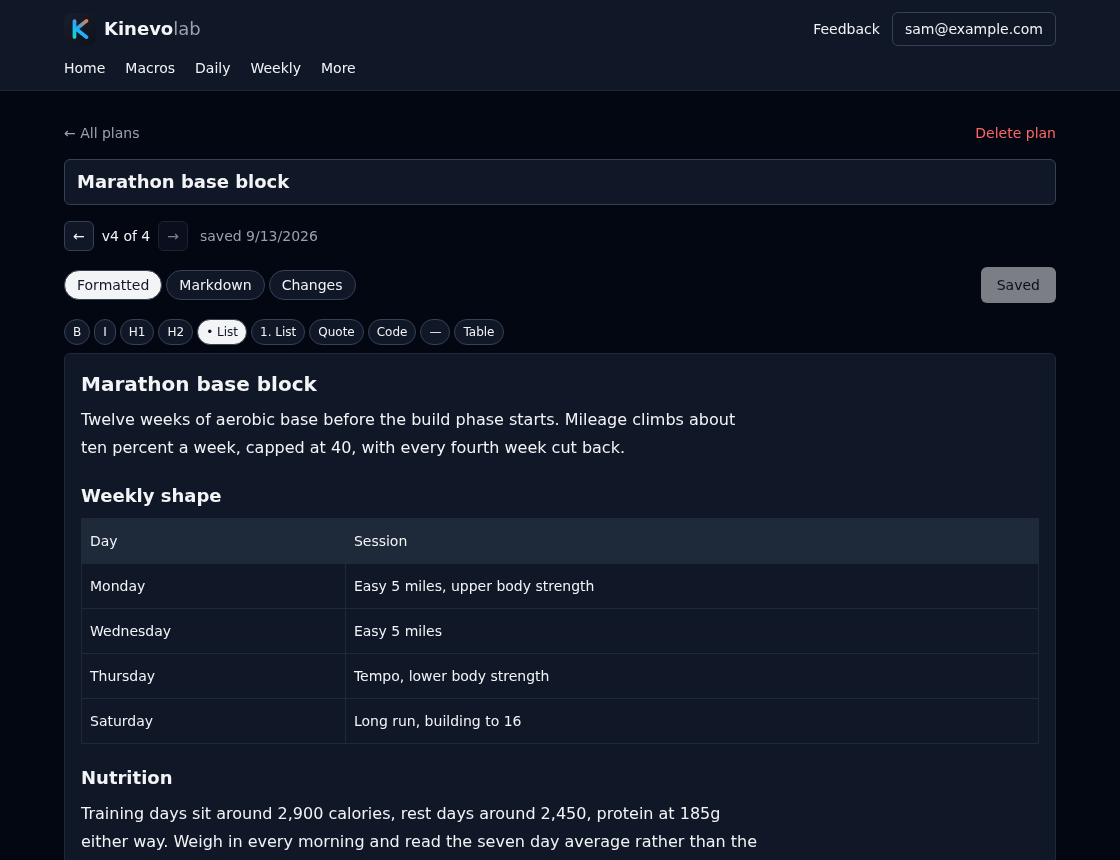
Plans are the clearest case. Your assistant writes the markdown, every save is a version, and you can step back through what changed.
What it keeps for you
Enough structure that the numbers add up, and nothing more. Totals, averages, weekly mileage, and the workout count are worked out when you look at them, so there is no field to keep in sync by hand and no stored number that can disagree with what you logged.
Meals and nutrients
Calories and whatever else you track — protein, fibre, sodium, creatine — by meal. Add your own, and they roll up into the day and the week for you.
Runs
Distance, pace, duration, and average heart rate. More than one a day is fine, because two runs is two runs.
Lifts
Workouts with exercises, sets, reps, and weight, tracked by movement so a bench chart is a bench chart.
Daily check-in
Weight, resting heart rate, sleep, and a note. The seven day weight average is worked out for you.
Weekly check-in
How honest the week was with food, and whichever measurements you decide to track. Your longest run is worked out from the runs.
Body composition
Scans from an InBody, a DEXA, or a smart scale, plus pace tests, so you can see if the work is paying off.
Targets that know the day
Macros per training phase and day type, because a long run day and a rest day do not eat the same.
Weekly volume targets
Mileage, runs, and workouts planned for a block, then compared against every week inside it.
Your own vocabulary
Phases, day types, exercises, and measurements are yours to name, rename, and delete.
Macros
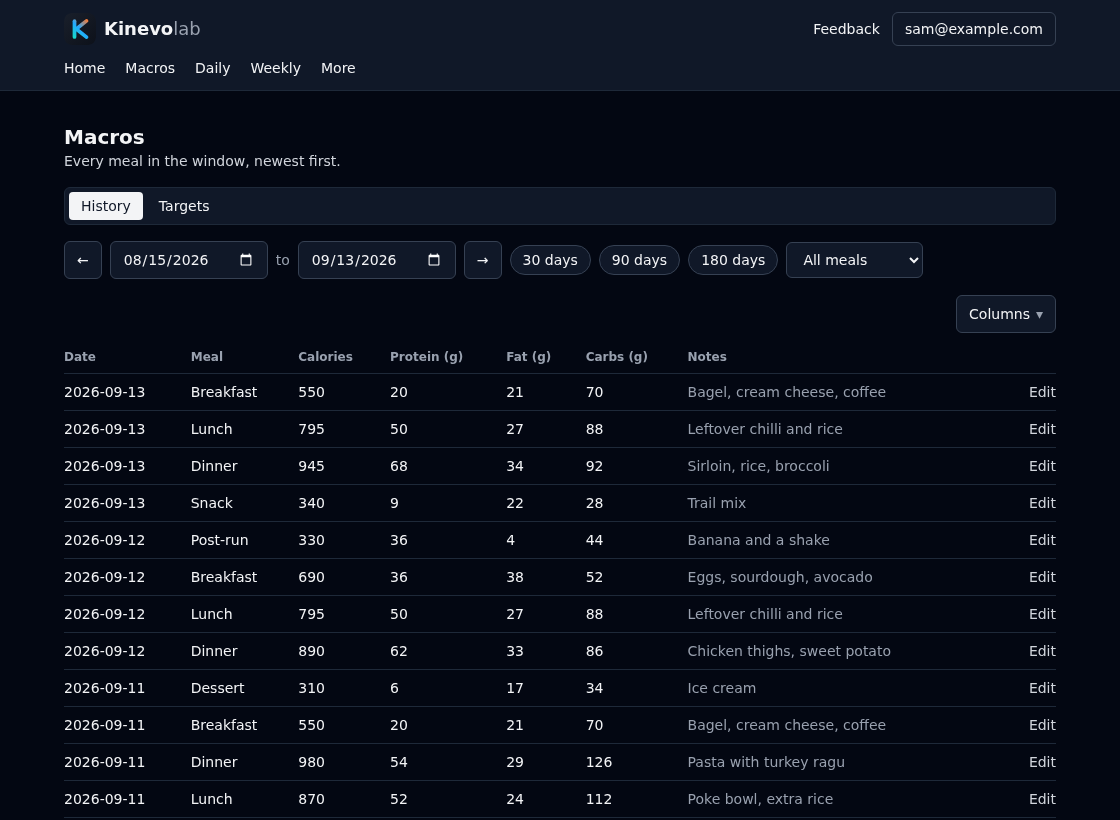
Every meal in the window, newest first.
Pick a date range, filter to breakfasts if you want, and tap any row to open the day it belongs to. Choose which columns you see and what order they come in, per table, and the choice follows you to your other devices.
Daily
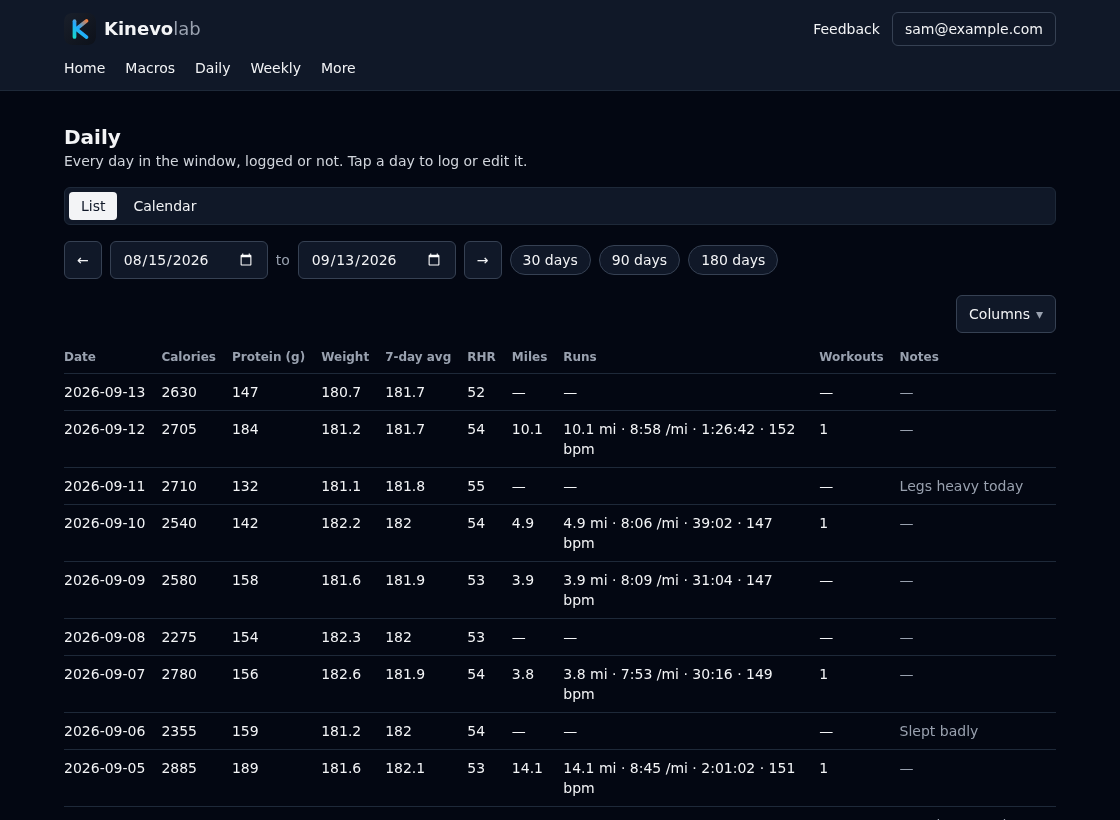
Every day in the window, whether you logged it or not.
An unlogged day still gets a row, so backfilling Tuesday is one tap rather than a hunt. Runs sit next to the totals instead of replacing them, which matters on a day you ran twice.
Weekly
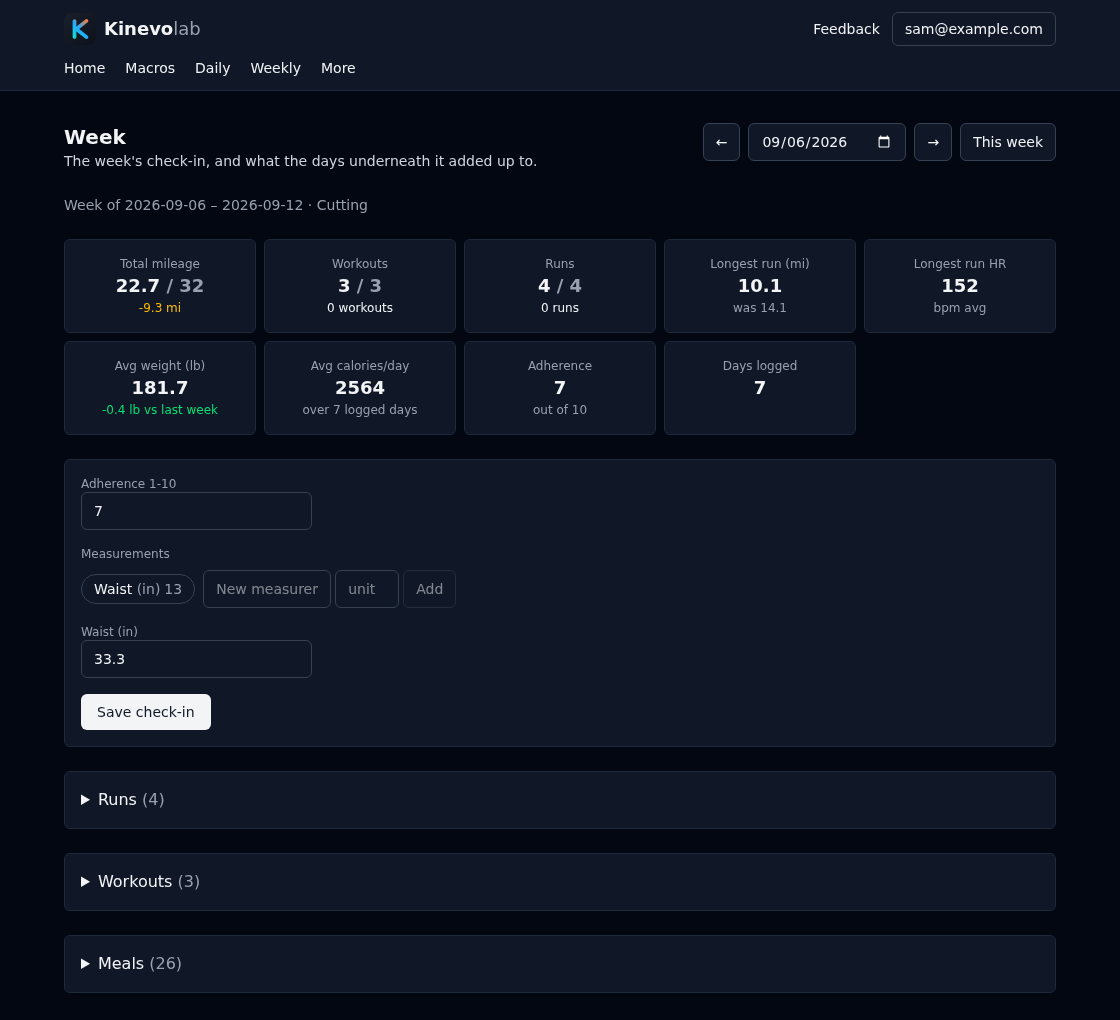
The week against what the block asked for.
24 of 32 miles, workouts level, your longest run and what it cost you in heart rate, average weight and how it moved. Whether that shortfall reads as “-8 mi”, “MISSED” or “8 mi to go” is yours to pick, because being told and being coached are not the same thing. Where you have not set a target the comparison stays blank rather than showing zero, for the same reason. Underneath, the runs, workouts and meals the whole strip was worked out from.
Exercises
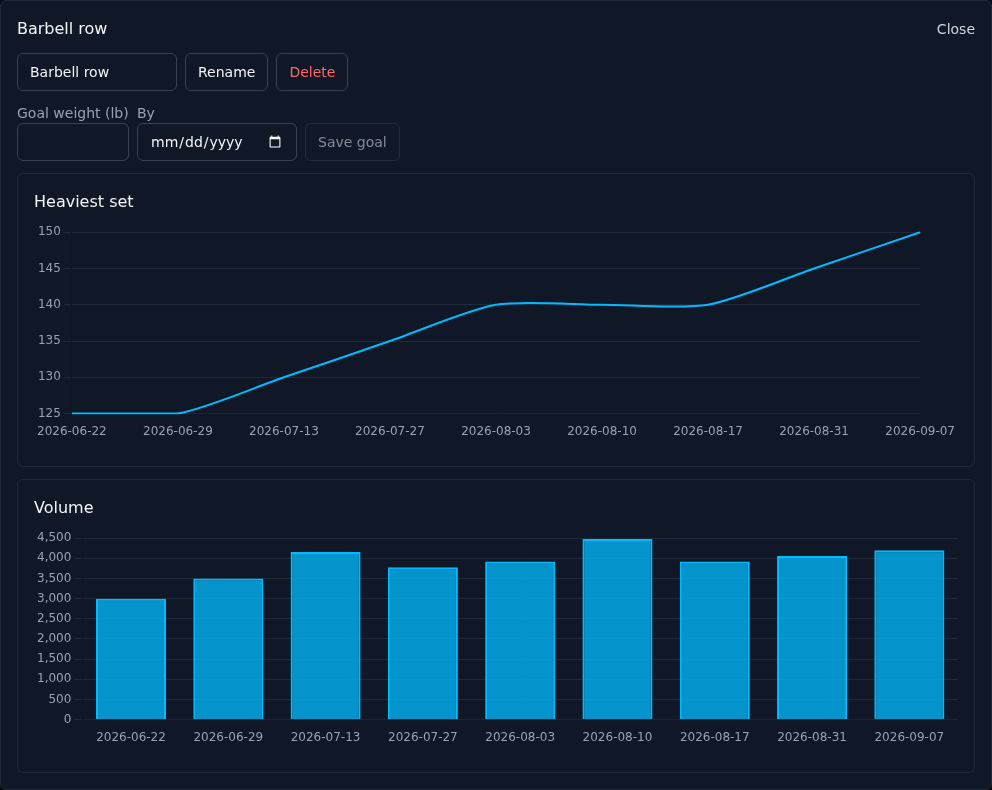
Movement by movement.
Heaviest set and total volume for anything you have lifted, over whatever window you are looking at. Sets point at an exercise by name, so renaming one carries its whole history with it and a typo never quietly splits a lift in two.
Why it is built this way
Every screen is also a tool your assistant can use.
Each capability is written down once and becomes a page in the app and a tool on the MCP server. Anything you can do by tapping, you can do by asking, and anything the app can show you, your assistant can reason about. The two cannot drift apart, because they are the same definition.
Two things are deliberately app-only. Access tokens, so an assistant signed in with one cannot mint itself more or revoke yours. And column layouts, since no chat client renders these tables anyway.
Ask it to log your lunch, watch it land on your phone
Anything written by your assistant shows up in an open tab in about a second, without a refresh.
Built on a phone, for a gym
Every page is checked at 390px wide. Nothing scrolls sideways, and no input zooms the page on iOS. Light or dark, per device.
Dates mean your dates
A logged day is the day you had, not a timestamp shifted into a server timezone.
Nothing is really deleted
Removing a row marks it instead, so a mistap does not quietly cost you a week of history. Deleting your account removes everything, for real.
It is early, and that is the point.
This started as one runner's spreadsheet. If something is broken, missing, or annoying on your phone, there is a Feedback page in the app that sends it straight to me.